
MT5 Indicator
Golden Pocket Indicator
A visual MetaTrader 5 indicator for ATR-adjusted Fibonacci trend envelopes, highlighting the 0.618-0.786 Golden Pocket and multi-timeframe context for discretionary pullback planning.

Fit check
Review fit, evidence, and next action.
Best for
- ATR-adjusted Fibonacci pullback review
- Golden Pocket value-zone planning
Not for
- Automatic trade placement, stop management, or account-risk enforcement
- Treating every Golden Pocket touch as a standalone entry signal
Evidence
Next step
- Platform
- MetaTrader 5
- Type
- Indicator
- Access
- MQL5 Market
- Free
- Version
- v1.0
- Available free on MQL5 Market
Visual context
Product visuals show the chart logic, zones, and workflow context behind the reference. They are explanatory material, not performance evidence.
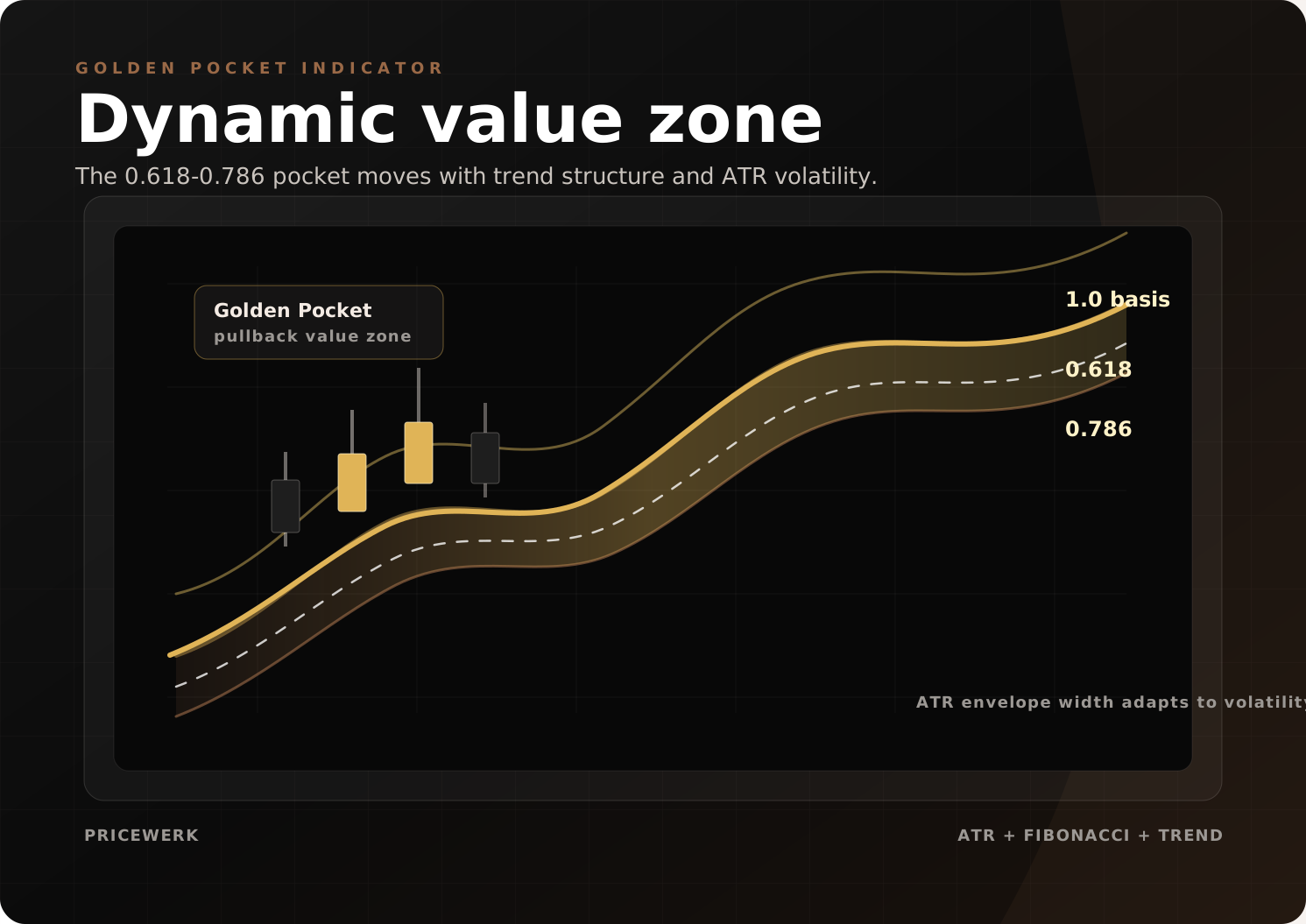
Dynamic value zone
Shows how the 0.618-0.786 Golden Pocket is framed from ATR-adjusted trend envelopes instead of fixed chart drawings.
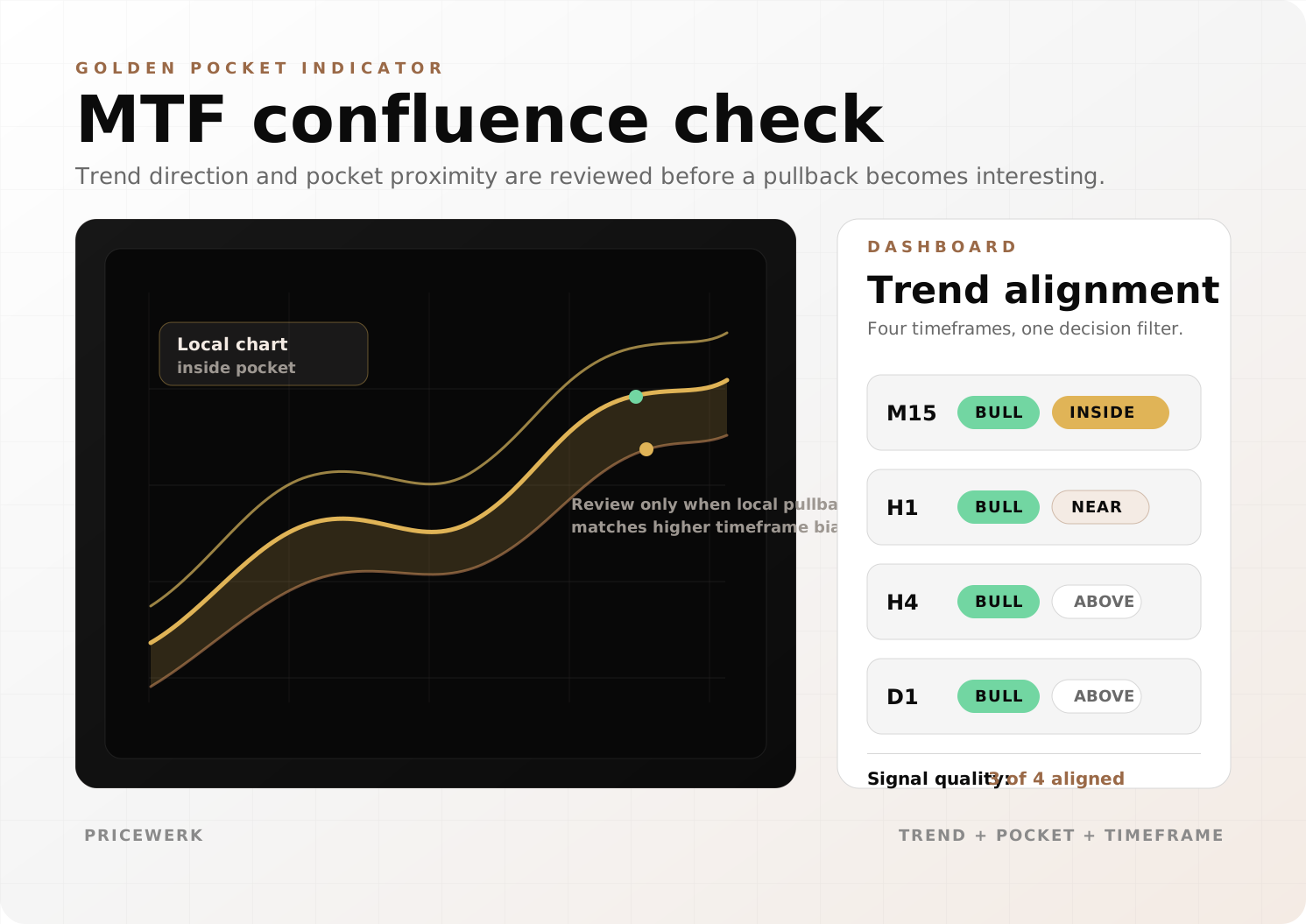
MTF confluence check
Explains how local pocket proximity can be reviewed against higher-timeframe trend direction before a setup becomes relevant.
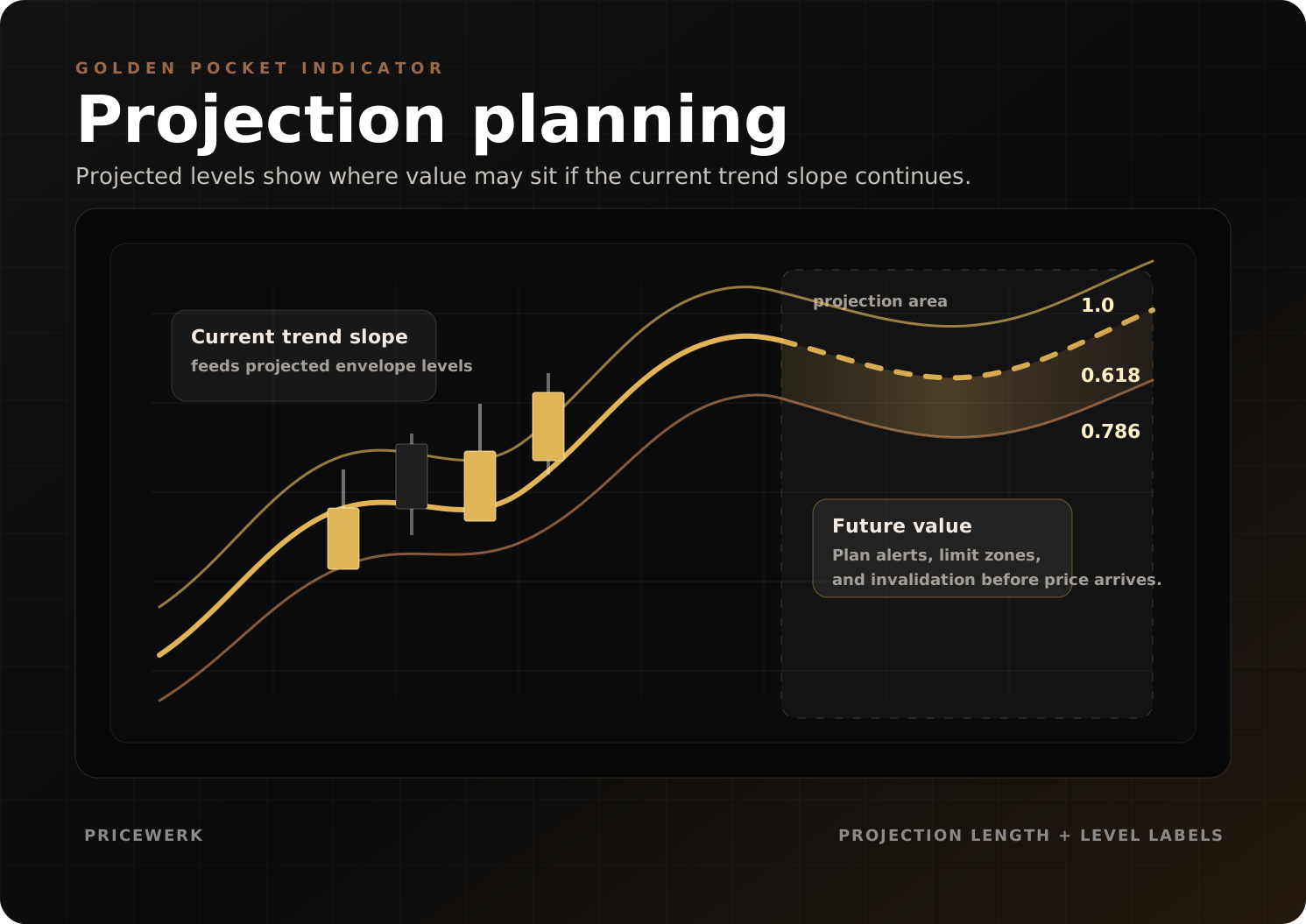
Projection planning
Shows projected envelope and Fibonacci levels so traders can plan alerts, value zones, and invalidation before price arrives.
Golden Pocket Indicator is a visual MetaTrader 5 tool for manual pullback review. It maps an ATR-adjusted trend envelope, a dynamic 0.618 to 0.786 value zone, projection levels, labels, alerts, and multi-timeframe state.
It does not execute trades. It gives the trader a cleaner chart model for deciding whether a manual setup deserves further review.
Market model
The Golden Pocket is the Fibonacci area around the 0.618 to 0.786 retracement of a prior move. Traders often use it to evaluate whether price is pulling back into value inside a trend.
The weakness of a static drawing is anchor choice. Two traders can draw different retracements on the same chart and still defend both. The indicator reduces some of that drift by tying the pocket to a moving-average basis and ATR-adjusted envelope.
When volatility expands, the envelope widens. When volatility contracts, the zone tightens. The pocket becomes more adaptive than a fixed drawing, while confirmation, stop placement, target selection, and risk remain manual.
What the indicator controls
The indicator controls the visual reference layer: moving-average basis, ATR envelope, 0.618 to 0.786 zone, supporting 0.500 and 1.0 context, projection length, labels, alerts, color intensity, and multi-timeframe dashboard.
Those elements help separate context from execution. A chart can show a clean value zone without producing a valid trade. The trader still needs a trigger, stop, target, position size, session filter, and account-rule checklist.
Setup evaluation
Start with trend context. The moving-average basis and ATR settings decide whether the envelope is stable enough for the market being reviewed.
Then inspect the pocket. The 0.618 to 0.786 area is the main value zone. Supporting levels can help with invalidation and projection planning, but more levels are not always better. The chart should make weak setups easier to reject.
Finally, compare timeframes. A local pullback can look attractive while a higher timeframe is neutral, conflicting, or already extended. The dashboard exists to make that conflict visible before a manual decision is made.
Configuration workflow
Configure basis style, ATR period, and ATR multiplier first. The envelope should describe market structure without constantly flipping or reacting too late.
Then review Fibonacci ratios and projection length. Keep the 0.618 to 0.786 area readable, and add supporting levels only when they improve planning.
After that, tune labels, alerts, colors, and dashboard placement. These settings change usability, not market logic. A good chart state should reduce noise.
Evidence and testing limits
Golden Pocket Indicator is available on MQL5 Market. The page links the marketplace listing, manual, and visual examples for dynamic zones, multi-timeframe confluence, and projection planning.
That evidence explains the workflow and interface. It is not performance evidence and does not prove that a pullback will continue. Test the visual model on the symbols, sessions, spreads, and account rules you actually use.
When not to use it
Do not use the indicator as a standalone signal. Avoid treating every pocket touch as a trade. Be cautious during news volatility, unclear trend structure, high spreads, or sessions where the pullback model is not clean.
The indicator can make context visible. It cannot place trades, manage stops, enforce drawdown limits, or make a setup safe.
Key parameters
Configure these settings before live use. Review each group on the exact symbol, timeframe, broker, and account rules you intend to test.
| Setting | What to configure |
|---|---|
| Moving-average basis | Choose the trend basis style, such as SMA, EMA, or faster adaptive variants, so the envelope matches the market speed you want to review. |
| ATR period and multiplier | Control how much volatility is needed before trend envelopes widen, contract, or signal a structural regime shift. |
| Golden Pocket ratios | Use the 0.618 and 0.786 area as the core value zone, with optional supporting levels for 0.5 and 1.0 context. |
| Projection length | Adjust how far projected envelope and Fibonacci levels extend so future planning stays useful without overcrowding the chart. |
| MTF dashboard | Monitor trend direction and pocket proximity across selected higher and lower timeframes before committing to a manual setup. |
| Labels, alerts, and display | Tune level labels, zone intensity, alert timing, colors, and dashboard placement so the chart stays readable during live review. |
Operating boundaries
Works well for
- Framing pullback value areas with ATR-adjusted Fibonacci levels
- Separating trend-side continuation ideas from random retracement touches
- Keeping chart context visible through labels, envelope levels, projections, and timeframe state
Limitations
- The indicator does not place trades, size positions, or enforce drawdown limits
- Golden Pocket reactions can fail during news, fast volatility shifts, or broken trend structure
- The free MQL5 listing and manual document the indicator; public setfiles and performance evidence are not part of this manual tool
User must test
- ATR period, ATR multiplier, moving-average type, and Fibonacci ratio settings
- Symbols, sessions, broker spread, timeframe alignment, and alert timing
- Entry confirmation, stop placement, target logic, and risk limits before live use
Resources
Golden Pocket Indicator user manual
Installation notes, setup logic, visual settings, alert workflow, and risk notes for the Golden Pocket Indicator.
- Format
- Version
- v1
- File
- 18 KB